
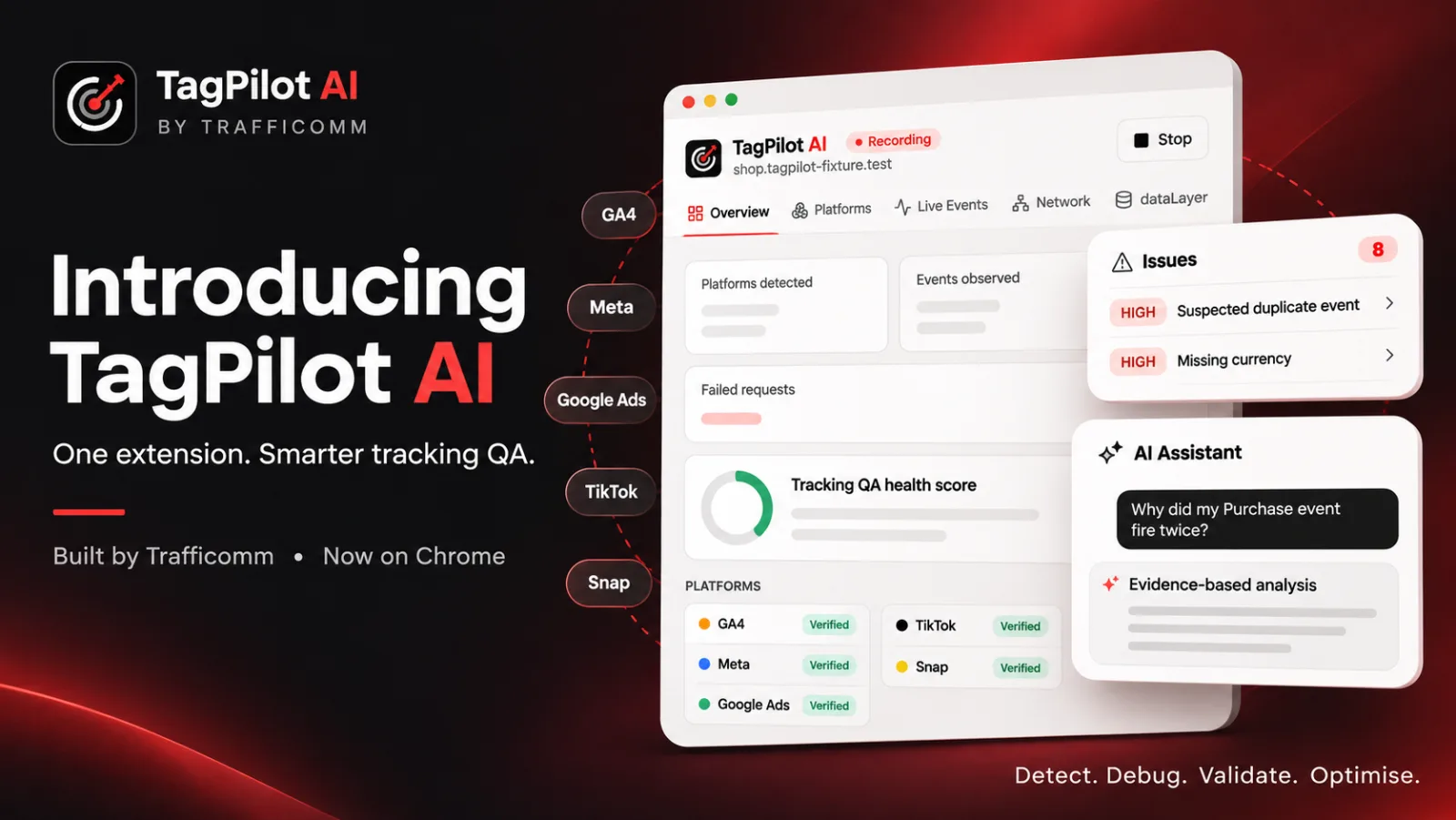
Introducing TagPilot AI: Smarter Tracking QA in Chrome.
Meet TagPilot AI, Trafficomm's new Chrome extension that brings pixel debugging, conversion tracking validation and AI-powered troubleshooting into one place.
Digital advertising depends on accurate tracking. But anyone who works in Ad Operations or performance marketing knows that tracking issues aren't always easy to identify.
A conversion fires twice. A pixel doesn't load. A purchase event is missing its currency. Or a campaign is running, but the conversion numbers don't match across platforms.
Finding the problem often means switching between different debugging tools, checking network requests and reviewing tracking implementations one by one.
At Trafficomm, we've dealt with these challenges for years while running ad operations and measurement and tracking QA for agencies and advertisers.
So we decided to build something that would make the process easier.
Today, we're excited to introduce TagPilot AI, our new Chrome extension, now officially available on the Chrome Web Store.
One Extension for Multiple Tracking Platforms
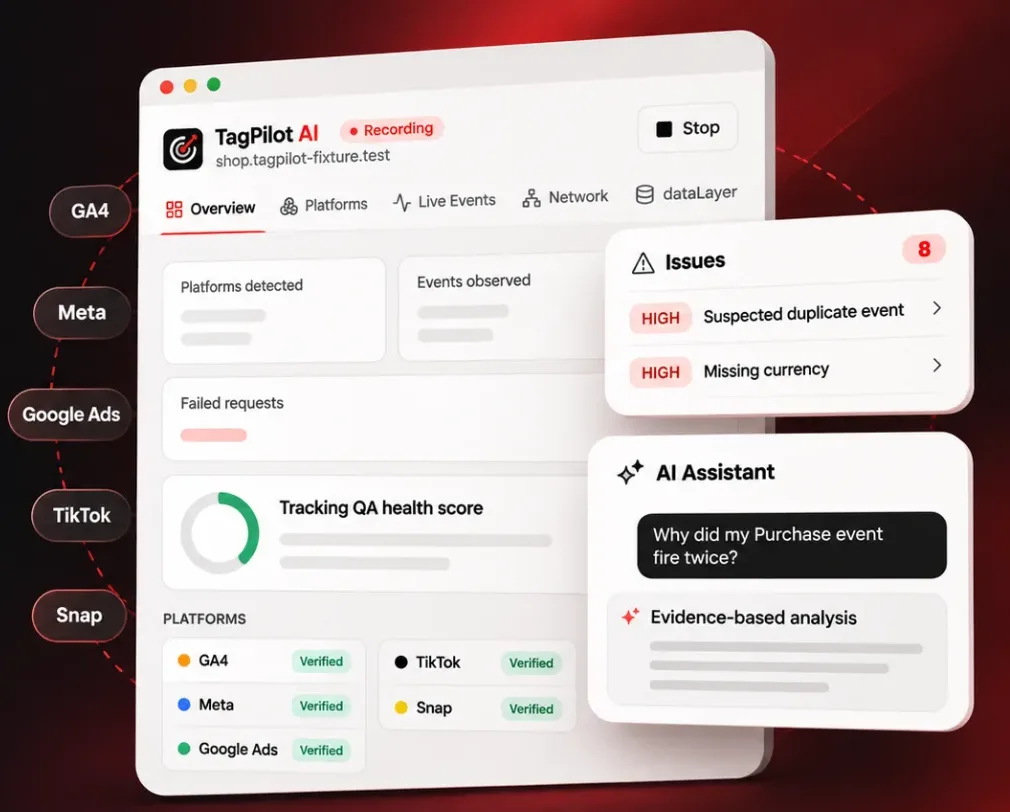
TagPilot AI brings tracking inspection, pixel debugging and conversion QA together in a single Chrome side panel.
It helps digital marketers, AdOps specialists, analytics teams and developers inspect tracking activity across platforms including Google Tag Manager, GA4, Google Ads, Meta, TikTok, Snapchat, LinkedIn, Floodlight and more.
Rather than switching between tools, teams can review observable tracking activity, identify potential problems and investigate findings from one interface.
What Can TagPilot AI Do?
Detect Pixels and Tracking Tags
Identify supported advertising pixels, analytics tags and GTM containers installed on a website. Review tracking IDs, observed events and implementation details.
Monitor Events in Real Time
See what happens when someone visits a page, views a product, adds an item to their cart, submits a lead form or completes a purchase.
TagPilot AI captures observable event details, including available values, currencies, transaction IDs and other parameters.
Identify Tracking Issues
Detect suspicious duplicate events, failed network requests, missing conversion parameters and potential privacy risks.
Findings are supported by recorded evidence, helping teams understand what needs further investigation.
Validate Conversions Across Platforms
Compare observed conversion activity across Google Ads, GA4, Meta, TikTok and other supported platforms.
For example, if a purchase value is correctly sent to GA4 but the TikTok event is missing its currency, TagPilot AI can highlight the inconsistency.
Run Conversion Journey QA
Test real website journeys, including ecommerce purchases and lead generation forms.
Check whether expected events were observed during each step and review passed, failed or inconclusive results.
Troubleshoot With AI
One of the features we're most excited about is the AI Assistant.
Imagine noticing that your Meta Purchase event fired twice.
You can ask TagPilot AI:
"Why did my Meta Purchase event fire twice?"
Using the captured tracking evidence, the AI Assistant can explain possible causes and recommend debugging steps.
It's designed to support the people working on tracking implementations, not replace their expertise.
Export QA Reports
Generate HTML, JSON and CSV reports containing tracking observations, issues and supporting evidence.
This makes it easier to share findings with developers, internal teams and clients.
Privacy Comes First
TagPilot AI is designed around user-controlled scanning.
Diagnostic data stays in the browser by default, sensitive information is redacted where detected, and optional AI analysis requires user approval.
The extension focuses on evidence available through browser-side inspection, while making its limitations clear.
Built by AdOps Professionals, for AdOps Professionals
TagPilot AI started with a simple idea: make tracking QA less complicated for the people who deal with it every day.
Our experience working with media agencies and advertisers helped shape the features we've built.
We wanted a tool that goes beyond identifying pixels and helps users investigate how tracking behaves during real conversion journeys.
And this is just the beginning.
We're continuing to improve TagPilot AI, and feedback from the digital marketing community will play an important role in what comes next.
Try TagPilot AI Today
TagPilot AI is now available on the Chrome Web Store.
Whether you're a performance marketer, Ad Operations specialist, developer or analytics professional, we'd love for you to try it.
Install TagPilot AI from the Chrome Web Store
Have a suggestion or found something we can improve? We'd love to hear from you.
TagPilot AI — Detect. Debug. Validate. Optimise.
Developed by Trafficomm Digital Media Services Pvt Ltd.
From the operations team
Want to see how this applies to your team?
Request an operations assessment — we'll review your workflow, volumes and platforms.
Request an Operations AssessmentKeep reading
Related Insights.
Why Campaign Measurement Fails Between Setup and Reporting
A tracking fault does not stop a campaign from delivering, so nothing signals it. The operational lifecycle between deciding what should be measured and trusting the resulting signal — and who owns each stage of it.
Read
Christmas 2026: How UK Brands Can Make the Most of Festive Demand
Explore how UK brands can capitalise on Christmas 2026 through smarter media planning, changing consumer behaviour, campaign optimisation and a stronger focus on profitable advertising returns.
ReadOutsourced Ad Trafficking: What Agencies Hand Off, and What Stays In-House
Trafficking is the step where an approved plan becomes live delivery. What it involves, what an agency has to hand over before anyone can do it well, and how to keep control when an external team does it.
ReadLet's talk operations
Talk to the Operators Behind the Posts.
We'll map where your setup, QA and reporting time goes, and what's worth moving.